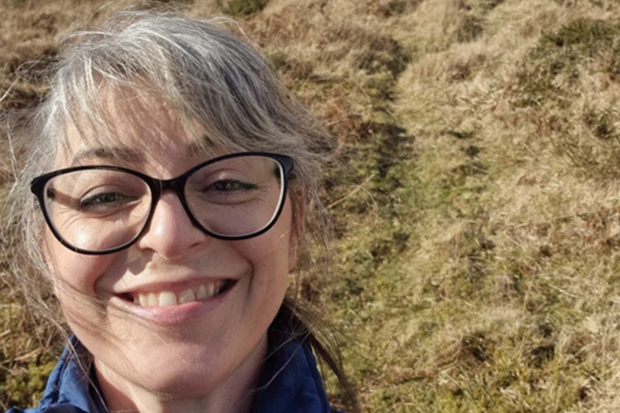
I’m Leigh‑Ann Jones, a flood and coastal risk management (FCRM) advisor in the Environment Agency, working across digital, data and systems that support the FCRM capital programme.
Since 2023, Defra has been running targeted trials and rollouts of Microsoft Copilot – a personal AI assistant integrated into Microsoft apps. These pilots highlighted the meaningful ways it can benefit colleagues who are neurodivergent or have a disability or other access need. As such, Defra made full licences available as a reasonable adjustment earlier this year.
My role is pretty fast-paced and complex – there’s always a lot of detailed information and data to work through, alongside working with different stakeholders, providing technical support to colleagues and staff, among changing priorities.
I’m also neurodivergent (ADHD) and naturally think quickly and make connections easily. But turning that into clear, structured outputs can take more time and energy than you might expect. Sometimes I don’t have the knowledge needed to create the output I want to produce.
Help with overwhelm and task paralysis
My work is varied. I move between support, analysis and delivery, often all within the same day.
I might be supporting IT users through the service desk, working through emails and actions, joining meetings, looking at data, or getting into complex problem-solving and planning. I’m also involved in project delivery, including the replacement of AIMS:PD Project Online, our asset and project management system.
Because of that variety, I’m constantly juggling priorities and deadlines while trying to manage my own wellbeing. I’m taking in new information all the time, working out what matters most, and turning that into clear actions for myself and others.
On busier days, that can build up quite quickly. It can feel like my thinking slows down a bit, I start to feel behind, and that sense of overwhelm can creep in. Task paralysis can happen, and is difficult to deal with, but is often due to mental overwhelm, lack of information or coherent structure to get started from.
Copilot is there to help, and the full licence the Environment Agency has offered me provides AI support that understands my work context. I can tell it what is happening, share emails, documents, my action list – even talk to it. It helps me step back at that point, giving me a way to quickly make sense of everything, refocus, and bring some structure back before it starts to snowball and helps steer me away from rabbit holes. It can give me a way out of the woods, as it were, although I do love a good woodland walk.
Prioritising what matters
I mainly use Copilot in Teams, Outlook and Word to help me stay on top of all that information and decision-making. I use it to help with data insights in Excel and as a learning sidekick for Power Automate flow building.
It helps me quickly make sense of what’s coming in, whether that’s long email threads, meeting discussions or rough notes. From there, I use it to pull out key points and actions, turn notes into something clearer, and sense-check what I actually need to focus on.
A simple example is taking a long email thread or meeting notes and turning them into a clear summary with actions and owners. This now takes minutes instead of much longer.
More recently, I’ve started using Copilot notebooks, where I feed in relevant documents and context. That’s made a big difference. It means Copilot already understands the background, so the outputs feel much more useful and relevant. It’s not just helping me summarise things, it’s helping me think through what matters.
As the Inclusion and Accessibility Lead in our team, I have recently created an Accessibility Check Notebook, adding government guidance as sources of reference so that I can ask Copilot to check any SharePoint, Word, Email or Presentation content that I produce and suggest improvements, cutting out time consuming guidance checks back and forth.
Clarity, confidence and focus
Copilot doesn’t change how busy or complex my job is, but it really helps me stay ahead of what is important and what needs actioning or planning.
Instead of getting pulled into all the detail, I can get to what matters much more quickly and keep things moving.
Realistically, it’s saving me at least an hour a day just in working through emails.
It’s also been a game changer for meetings. Being able to use transcripts that show key moments – who said what and what actions came out of it – saves me several hours a week and means I’m much less likely to miss something important during the meeting because I can be present instead of writing down notes and trying to keep up with what is being said.
More than the time, it’s helped with:
- clarity – I can see what’s important more quickly
- confidence – I’m less worried about missing something
- focus – I can prioritise with more certainty
Overall, it just reduces the friction in my day and makes things feel more manageable.
A ‘thinking partner’
What surprised me most is Copilot isn’t just a writing tool: it’s a thinking partner.
You don’t need to get it perfect to start with. Just begin with something rough and build from there.
Copilot is really helping to make the pace and complexity of my work more manageable. It helps me stay focused, up to date with what’s changing, and doing my best work more consistently.
More information
Leigh‑Ann Jones is a flood and coastal risk management (FCRM) advisor in the Environment Agency, working across digital, data and systems that support the FCRM capital programme.
If you're interested in finding out more about what we do in Defra Digital Data Technology and Security check out our LinkedIn page for all the latest news, stories and job openings. While you're there, why not give us a follow?
Like what you read? Subscribe to the blog for all the latest updates.
Leave a comment